Models — Overview
The Models section is where you manage everything that can answer a chat request: locally-run GGUF models and remote API providers. This page is a roadmap. If you are new to Bodhi, read Models, Aliases, and Files first — it lays out the three concepts that the rest of these pages assume you know.
The three concepts (recap)
Bodhi treats three different objects as a "model":
- Model file — a
.ggufweights file on disk (in your HuggingFace cache). Bodhi reads it; HuggingFace tooling owns it. - Model alias — a named recipe that bundles a file with chat template and inference parameters. This is the value that goes in the
modelfield of an OpenAI-shaped request. - API model — a configured remote provider (OpenAI, Anthropic, Anthropic OAuth, OpenAI Responses, or Gemini), plus the list of remote models you have exposed for chat.
Files and aliases drive local inference through llama.cpp. API models proxy requests to a third-party service. The chat picker merges all three sources into one list.
Where things live
| Concept | UI route | API route | Doc |
|---|---|---|---|
| Models page (unified list) | /ui/models/ |
GET /bodhi/v1/models |
Model Aliases |
| Model alias (create/edit) | /ui/models/alias/new/, /ui/models/alias/edit/ |
/bodhi/v1/models |
Model Aliases |
| Model files | /ui/models/files/ |
/bodhi/v1/models/files |
Model Files |
| Model downloads | /ui/models/files/pull/ |
/bodhi/v1/models/files/pull |
Model Downloads |
| API model (create/edit) | /ui/models/api/new/, /ui/models/api/edit/ |
/bodhi/v1/models/api |
API Models |
| Anthropic OAuth provider | /ui/models/api/new/ (format selector) |
/bodhi/v1/models/api |
Anthropic OAuth |
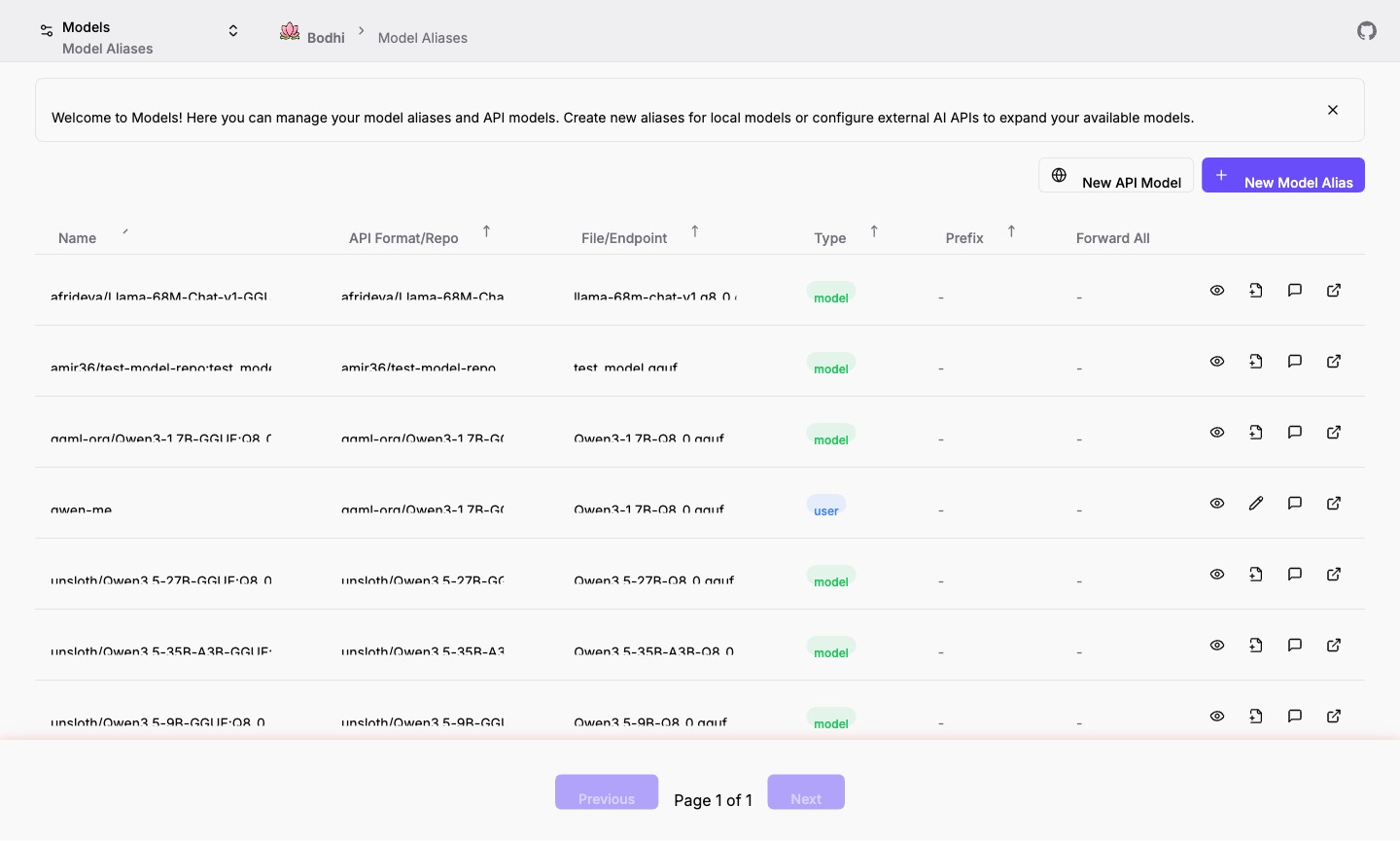
The Models page (/ui/models/) is the central hub. It shows aliases and API models in one sortable table with a Source badge that tells you which kind of entry each row is.
Pick the right page for your task
- "I want to chat with a local model." → Download the file via Model Downloads, then start chatting using the auto-generated model alias, or create your own via Model Aliases.
- "I want to use OpenAI / Gemini / Anthropic from inside Bodhi." → API Models walks through provider setup, fetching models, and the test-connection check.
- "I have a Claude.ai or Anthropic Console subscription and want to skip API keys." → Anthropic OAuth covers the OAuth-token flow.
- "I want to free up disk space." → Model Files shows which GGUFs are cached locally and how to remove them.
- "I want to see what's available without configuring anything." → Open
/ui/models/after install — Bodhi auto-creates a model-file alias for every downloaded GGUF, so chat works the moment a download finishes.
What you can and cannot configure here
- Configurable: alias names, llama.cpp context flags, default request parameters (temperature, top_p, stop sequences, etc.), API model base URLs, prefixes, extra headers and body fields, which models to expose from a provider.
- Not configurable from these pages: chat history, MCP tools, role assignments, server-wide settings. Those live under Auth, MCPs, and App Settings.
Choosing local vs remote
Every workflow can mix local and API models in the same chat or API call — there is no setting to flip. Pick local when you need privacy, offline access, or cost predictability. Pick remote when you want the latest frontier capability or when local hardware is the bottleneck. The chat UI presents both side-by-side; the Bodhi server decides whether to spin up llama.cpp or forward to a provider based on which entry the model field matches.
Where to go next
- New to local inference? Start with Model Downloads.
- Already have an API key? Jump to API Models.
- Connecting external apps? See Developer Guide → Building Apps.